

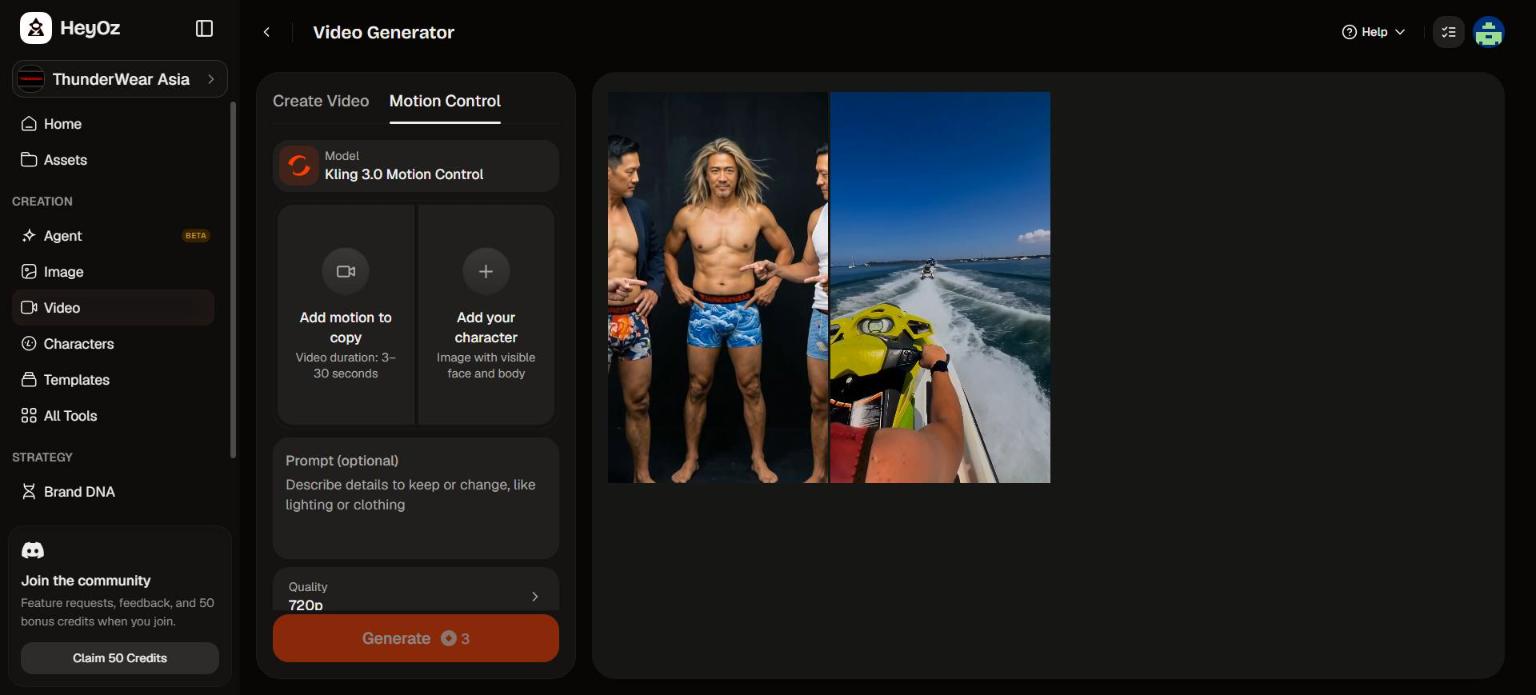
Copy motion onto your character
1
Open Motion Control
Click Video in the left sidebar. Then click the Motion Control tab at the top of the panel. The model is set to Kling 3.0 Motion Control.
2
Add the motion to copy
Click Add motion to copy. Upload a video between 3 and 30 seconds long. This is the movement HeyOz will copy.
3
Add your character
Click Add your character. Upload an image that clearly shows the person’s face and body.
4
Write a prompt (optional)
In the Prompt box, describe anything to keep or change, such as the lighting or the clothing.
5
Pick the quality
Click Quality to pick the video resolution, such as 720p.
6
Click Generate
The button shows the credit cost. Your video appears on the right when it is ready.
Tips
- Use a motion video where the full body stays in frame.
- Pick a character photo taken from the front with good light.
- Match the camera angle of the photo to the video for the most natural result.