

Get started
1
Open Content Studio
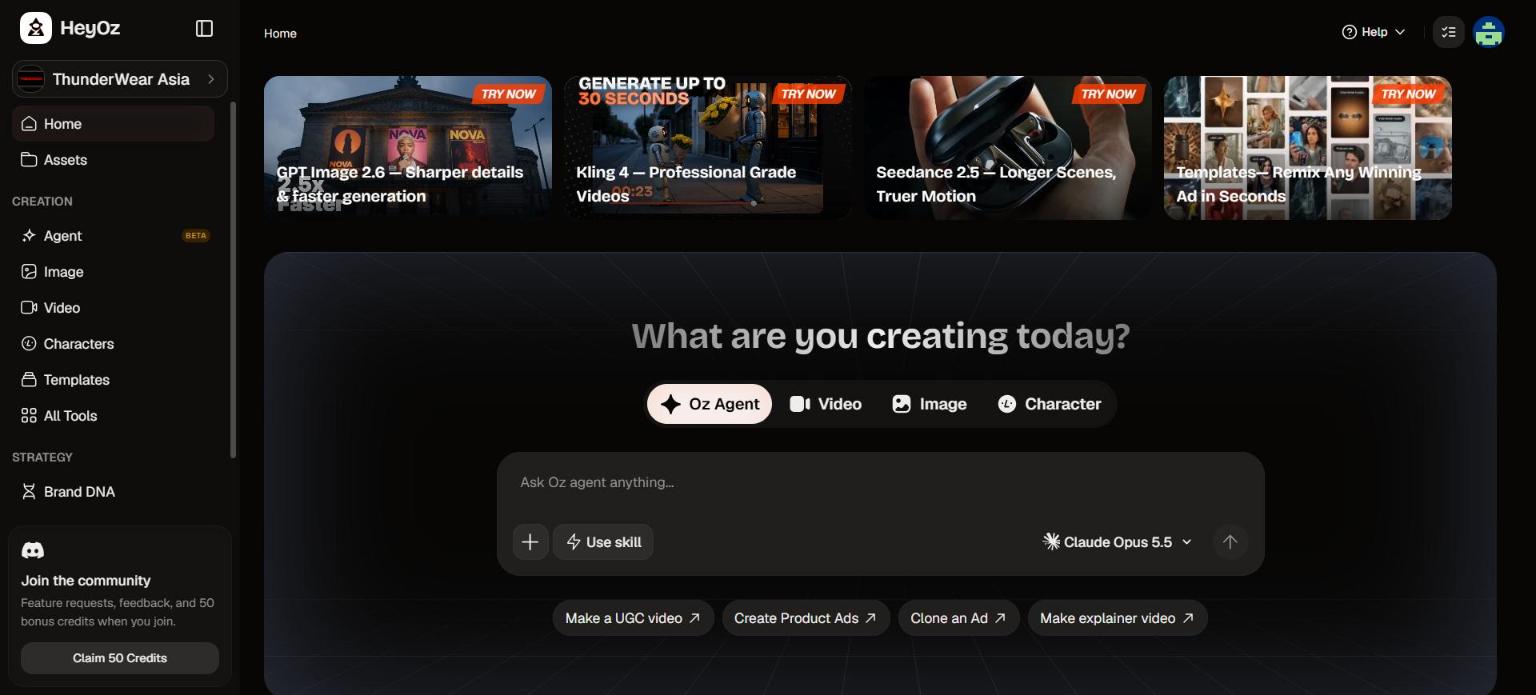
Log in to HeyOz. Content Studio starts on the Home page.
2
Pick a tool
Use the four tabs above the prompt box: Oz Agent, Video, Image, and Character. Click Video, Image, or Character to see the tools inside. You can also click All Tools in the left sidebar.
What you can make
Oz Agent
Oz Agent plans, writes, and makes your ad from a request in plain words. It can use every tool listed below.Image tools
- Image Generator: make any image from a text prompt or a reference photo.
- Static Ads: make finished image ads with your product, headline, and brand style.
- Product Reshoot: place your product in a new scene with new lighting.
- Clothing Try On: show your outfit on an AI model in any pose and setting.
- Carousels: make ads with several slides that tell a story, built for Meta and TikTok.
- Image Templates: start from a proven image ad layout and add your product.
Video tools
- Video Generator: turn a prompt, images, or videos into a new clip with models such as Kling 4 and Seedance 2.5.
- Motion Control: copy the moves from any video onto your own character.
- UGC Ads: make creator style videos with AI actors who talk about your product.
- Ad Cloning: take a winning ad and make your own version of it.
- Video Templates: remix a proven video ad format with your product and actor.
Characters and AI influencers
Create a reusable AI person for your brand. Describe one, clone yourself, or build one step by step. Use the same face across all your ads. See Characters and AI Influencers.Brand DNA
Brand DNA stores your brand name, colors, voice, and audience. Turn on the Use brand toggle in the image tools and Ad Cloning to apply it.Competitor Ads Tracking
See the ads your competitors run. Clone the ones that work and make them yours. See Competitor Ads Tracking.Tips
- Every Generate button shows the credit cost before you spend anything.
- Your past work shows under Recents on most tool pages. You can also open Assets in the left sidebar.