

Use a video template
1
Open Templates
Click Templates in the left sidebar. You can also click the Templates banner on the Home page.
2
Show only video templates
Click Videos to hide the image templates.
3
Pick your industry
Click a category, such as Beauty & Skincare or Food & Drinks.
4
Open a template
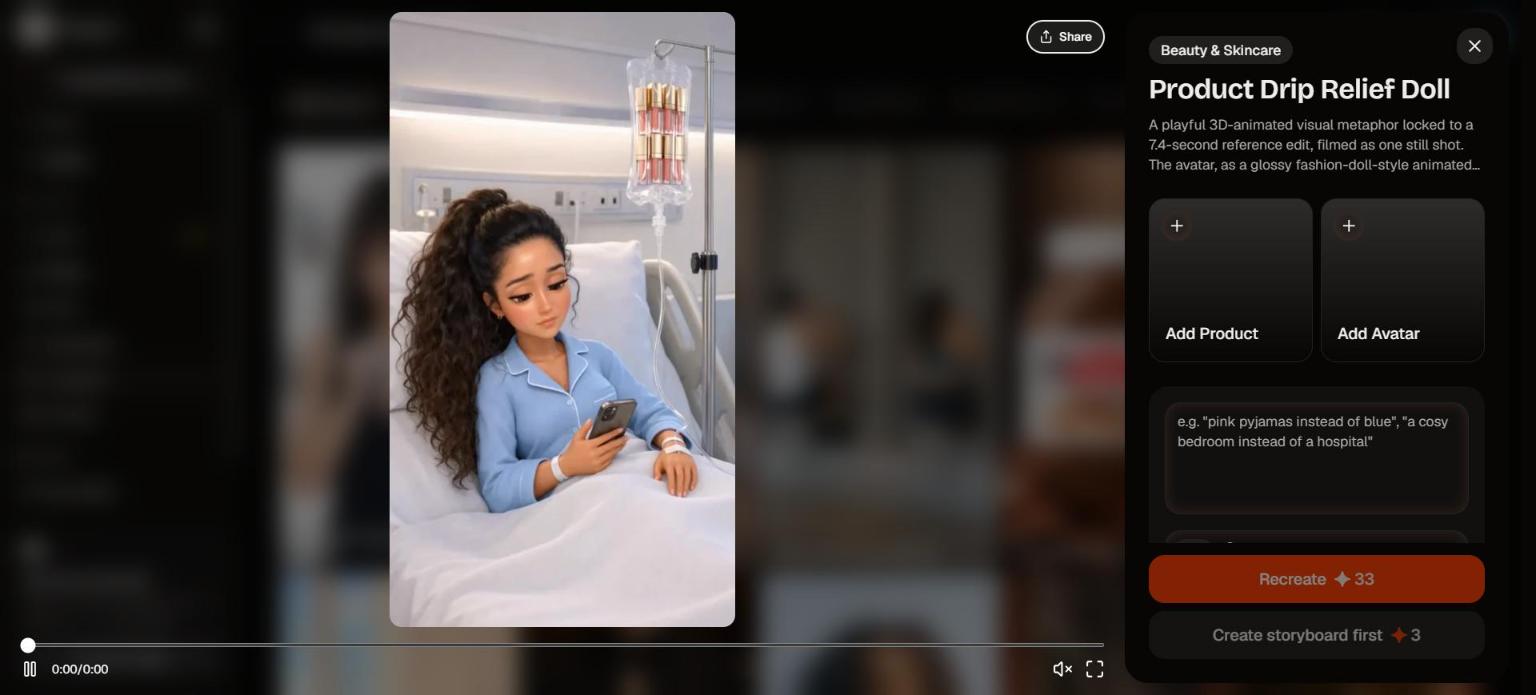
Click a template. It plays on the left, and its run time shows under the video. The panel on the right explains how the ad works.
5
Add your product and actor
Click Add Product and pick or upload your product. Click Add Avatar and pick an actor or one of your characters.
6
Ask for changes (optional)
Type changes into the text box, for example “pink pajamas instead of blue” or “a cozy bedroom instead of a hospital.”
7
Make your video
Click Recreate to make the full video. Or click Create storyboard first to see the plan before you make the full video.
Tips
- Use Create storyboard first on your first try. It costs far fewer credits than a full video.
- Click Share to share the template.
- Pick templates from your own industry first. They are built for buyers like yours.