

Create and use a character
1
Open Characters
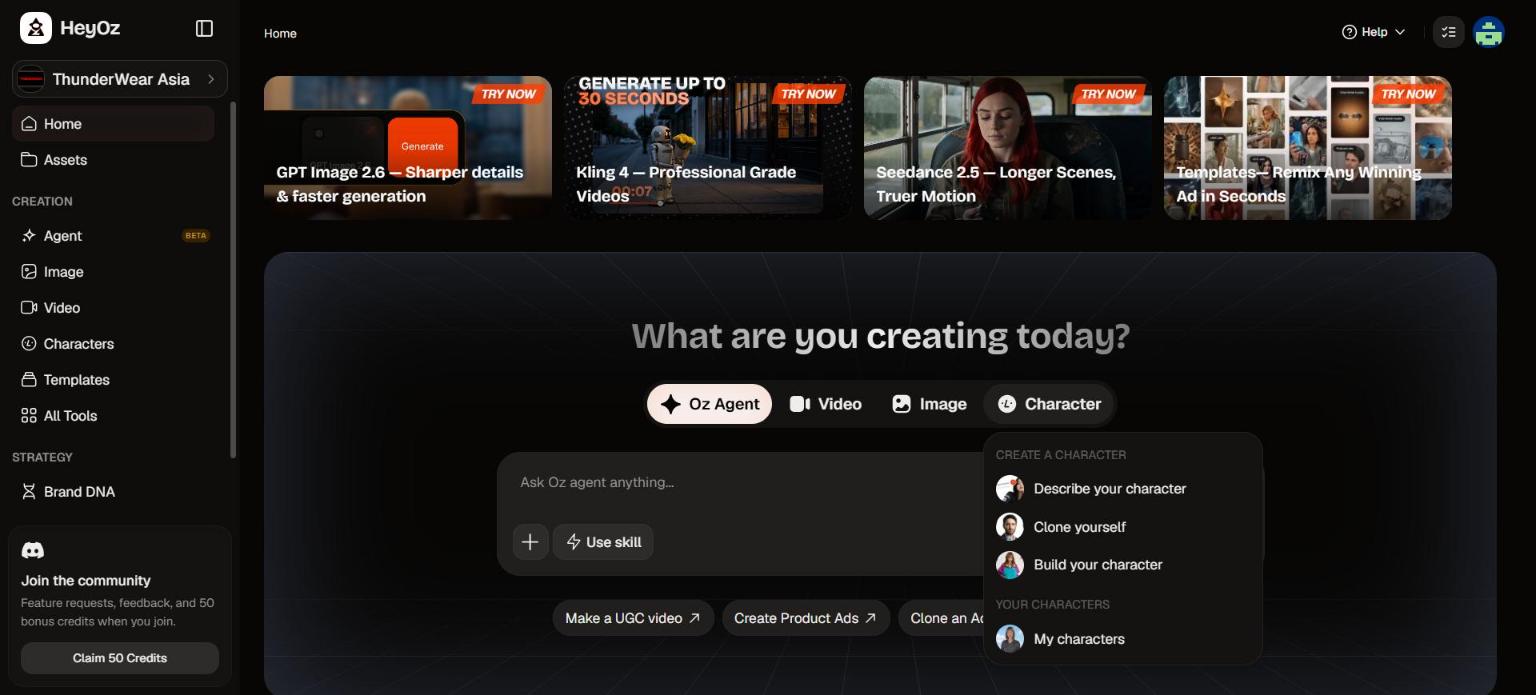
On the Home page, click the Character tab. You can also click Characters in the left sidebar.
2
Pick how to create your character
- Describe your character: type what the person looks like.
- Clone yourself: upload photos of yourself to make your own AI twin.
- Build your character: choose the look one detail at a time.
3
Find your character
Click the Character tab and click My characters to see your characters.
4
Use your character in an ad
Pick your character in the Avatar box in UGC Ads, Clothing Try On, or Video Templates. In Motion Control, upload it in the Add your character box. You can also ask Oz Agent to use your character.
Tips
- For Clone yourself, use clear, well lit photos of your face from the front.
- Use one clear photo style for every character so they all look like they belong to the same brand.
- Use one main character across your ads so viewers start to know them.